Productos y Servicios
Tienda Cepsa
Centro de Ayuda
Universo Cepsa
Química
Planet Energy
Marine Fuels
Lubricantes
Aviación
Asfaltos
Cepsa Portugal
RedEnergy.mx
Cepsa Marruecos
Cepsa Corporativo
Particular
Particular
Empresa
Autónomos y Flotas
Distribuidor
Cerca de ti
Buscar
Área reservada
Estaciones de Servicio
Estaciones de Servicio
Estaciones de Servicio
Estaciones con Paneles Solares
Tiendas Depaso
Tiendas Carrefour
Lavados
Restaurantes y Cafeterías
Talleres Órbita
Tienda Online
Encontrar Estaciones de Servicio y Gasolineras
Club Cepsa Gow
Ahorra hasta 5 cts./litro con Cepsa Gow
Hazte sociow
¡Únete al Club!
Promociones Club Cepsa Gow
Por venir a Cepsa
Por comprar en marcas colaboradoras
¿Qué ocurre si soy Porque TU Vuelves?
App Cepsa Gow
Descubre Club Cepsa Gow
Condiciones Club Cepsa Gow
Preguntas Frecuentes
Tienda Online
Gestiona Club Cepsa Gow
Gasóleos
Gasóleo Calefacción
Gasoleo Calefacción Rendimiento
Gasóleo B
Encontrar distribuidor
Cuidados para la caldera
Butano y Propano
¿Tienes botellas de gas que no usas?
DEVUÉLVELAS AQUÍ
Apuesta por la energía que te hace la vida más fácil.
SABER MÁS
Haz tu pedido
Solicita tu botella
Solicita tu depósito
Te interesa
Precio de butano y propano
Devolución botella
Depósitos para tu hogar
Botellas para tu hogar
Productos
Gas Butano
Gas Propano
Campingaz
Autogás y BioAutogás
Mantenimiento y seguridad
Instalaciones Gas Envasado
Instalaciones Gas a Granel
Lubricantes
Nuevos envases con hasta un 70% de plástico reciclado
Saber más
Descubre la gama XTAR para vehículos híbridos y eléctricos
Saber más
Lubricantes
Lubricantes Automoción
Refrigerantes y productos de mantenimiento
Talleres Órbita
Guía de Lubricación
Cepsa Motorcheck
Glosario de Lubricación
Encontrar Puntos de Venta y Distribuidores
Híbridos y Eléctricos
Lubricantes Sostenibles
Carburantes y Carga Eléctrica
Descubre nuestra gama de carburantes Óptima
Saber más
Carga Eléctrica
Acuerdo Cepsa y Endesa X Way
Carburantes Óptima
Diesel Óptima
Gasólina Óptima 95 y 98
Carburantes Star
Diesel Star
Gasólina Star 95
Encontrar Punto de Venta más Cercano
Soluciones sostenibles
Autogas
Ecoblue
Gas Natural Vehicular (GNV)
Promociones
Sostenibilidad
Compensar huella de carbono
Cartelería
Lubricantes Sostenibles
Devolución botellas
Tarjetas
Recomendador de Tarjetas
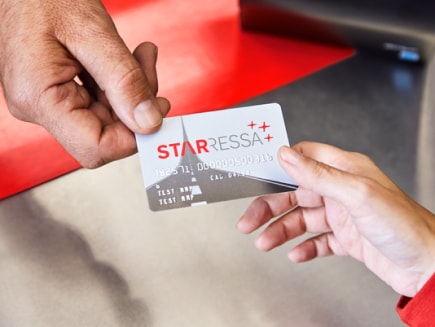
STARRESSA
STARRESSA Direct
STARRESSA ZERO
STARRESSA Gasóleo Bonificado
Mundo STARRESSA
Carburantes
Soluciones sostenibles
Ecoblue
Gas Natural Vehicular (GNV)
Autogas
Carburantes Óptima
Diesel Óptima
Gasólina Óptima 95 y 98
Carburantes Star
Diesel Star
Gasólina Star 95
Encontrar puntos de venta y distribuidores
Estaciones de servicio
Gasóleos
Soluciones
Comunidad de vecinos
Industria
Agrícola
Empresa
Productos Calefacción
Gasóleo B
Gasóleo Calefacción Rendimiento
Gasóleo Calefacción
Productos Movilidad
Gasóleo A
Gasóleo B agromax
Gasóleo B Movilidad
Butano y propano
Ven y llévate 250€ de regalo con tu premier llenado
DESCUBRE CÓMO
Ahorra con nuestro Servicio Gratuito de Eficiencia Energética para clientes de granel.
Acceder
Haz tu pedido
Solicita tu depósito
Solicita tu botella
Te interesa
Precio de butano y propano
Devolución botella
Depósitos para tu negocio
Botellas para tu negocio
Autogas y Bioautogas
Colabora con nosotros
Productos
Gas Butano
Gas Propano
Campingaz
Autogás y BioAutogás
Mantenimiento y seguridad
Instalaciones Gas a Granel
Instalaciones Gas Envasado
Asfaltos
Soluciones asfálticas respetuosas con el medioambiente
Descúbrelas
Asfaltos para las carreteras
Aplicaciones sostenibles
Betunes
Emulsiones
Soluciones Especiales
Asfaltos para la construcción
Pavimentación y obra civil
Protección e imprimación
Impermeabilización y protección
Sistemas multicapas
Sellado y reparación de carreteras
Asfaltos para la industria
Impermeabilización e insonorización
Fabricación de emulsiones y betunes modificados
Marcado CE
Buscador de certificados
Sostenibilidad en Asfaltos
Lubricantes
Lubricantes
Lubricantes Sostenibles
Guía de Lubricación
Lubricantes automoción
Lubricantes industria
Lubricantes marina
Glosario de Lubricación
Servicio Cepsa Motorcheck
Grasas
Bases y parafinas
Bases
Parafinas
Process oils
Plataforma OilMonitor (SIGPAT)
Calculadora Traction
Productos de mantenimiento y refrigerantes
Talleres Órbita Cepsa
Guía de Lubricación
Encontrar puntos de venta y distribuidores
Hidrógeno
Aviación
Descubre el Combustible Sostenible para la Aviación (SAF)
Ver más
Combustibles para Aviación
AVGAS100LL
F-76
JET A-1
JP-5
JP-8
Combustible SAF
Soy un pasajero
Soy una aerolínea
Certificaciones
Biocombustibles
HVO 100 Diésel Renovable
Ver más
Nuestros biocombustibles
HVO 100
SAF
Electricidad
Comercialización
Representación a productores
Centro de control
Contratos
Sostenibilidad
Guía para la descarbonización de tu empresa
Descargar guía
Soluciones para la descarbonización
Terrestre
Marítima
Aérea
Industria
Herramientas
Proyectos
STARRESSA para tu negocio
¿Qué es STARRESSA?
Autónomos
Vehículo pesado
Vehículo ligero
Flotas
Vehículo pesado
Vehículo ligero
Productos y servicios
Ahorra hasta 5cts/litro
Pedir Tarjeta
Tarjetas
Mundo STARRESSA
Recomendador de tarjetas
Telepeajes
VIA T
STARRESSA SAT
Tasas
Euroviñeta
HGV Levy
Toll Collect
Tasa Belga
Recuperación de impuestos
IVA+NET INVOICING
Lubricantes
Servicios adicionales
Parking y Truck Village
Lavados
Transporte ferry
Seguros
Red Cepsa
Estaciones de servicio
Redes profesionales
Carburantes
Nueva movilidad
HVO
Recarga eléctrica
Gestión online
APP STARRESSA
APP STARRESSA Conductores
APP STARRESSA Gestores
Área reservada
Factura Electrónica
Sostenibilidad
Compensación de C02
Calculadora de CO₂
STARRESSA ZERO
Recarga eléctrica
Estaciones de servicio y franquicias
Tiendas Depaso
Tiendas Carrefour
Lavados
Talleres Órbita Cepsa
Servicio Cepsa Motorcheck
Estaciones de Servicio
Restaurantes
Combustibles
Gasóleos
Diesel Óptima
Diesel Star
Gasóleo A
Gasóleo B
Gasóleo B - Agromax
Gasóleo calefacción
Gasóleo calefacción rendimiento
Fueles
Catálogo de Fueles
Gasolinas
Gasolina Óptima 98
Gasolina Sin Plomo 98
Gasolina Star 95
Gasolina Sin Plomo 95
Óptima 95
AdBlue - EcoBlue
Butano y Propano
Ahorra con nuestro Servicio Gratuito de Eficiencia Energética para clientes de granel.
Acceder
Haz tu pedido
Solicita tu botella
Solicita tu depósito
Colabora con nosotros
Captación instaladores
Captación puntos de venta
Productos
Gas Butano
Gas Propano
Autogás y BioAutogás
Campingaz
Mantenimiento y seguridad
Instalaciones Gas Envasado
Instalaciones Gas a Granel
Lubricantes
Guía de Lubricación
Todo sobre Lubricantes
Estudios de Lubricación
Glosario de Lubricación
Servicio CEPSA Motorcheck
Asistencia Técnica
OILMONITOR (SIGPAT)
Promociones
Sostenibilidad
Cerca de Ti
Productos y Servicios
Tienda Cepsa
Centro de Ayuda
Universo Cepsa
Español
Inglés
Universo Cepsa
Química
Marine Fuels
Lubricantes
Aviación
Asfaltos
Cepsa Portugal
RedEnergy.mx
Cepsa Marruecos
Cepsa Corporativo
Particular
Empresa
Autónomos y Flotas
Distribuidor
Búsquedas Populares
Estaciones de servicio
Botella de butano
Tarjetas
Gasóleo a domicilio
Herramientas de búsqueda
Guía de Lubricación
Buscador Fichas de Seguridad
Buscador HSE y Certificados
Home
Centro de ayuda
¿En qué podemos ayudarte?
¿Necesitas ayuda con alguno de estos temas?
Nosotros te ayudamos
Facturas y consumos
Promociones
Productos y Servicios
Área Reservada
Tarjetas
Resolución alternativa de litigios
Teléfonos de Atencion al Cliente Cepsa
Gas Envasado
Gasóleo A
Gasóleo B
Gasóleo Calefacción
Gasóleo B Agromax
Gasolina Óptima 95
Diesel Óptima
Gasolina Star 95
Diesel Star
Combustibles Marinos
Combustibles Aviación
Lubricantes
Mastercard Club Cepsa Gow
Danos tu opinión sobre nuestra web!
Llamada